

Neusat Ni 7000 plus new software
Hello, friends. Today, I am going to show you how to update the latest software on Neusat Ni 7000 plus is a SIM card dongle receiver that supports mobile sim for using the scrambled channel of Dish TV. There are two types of power used in this receiver: Ac and Dc
Table of Contents
Table of Contents
Ac =220 and Dc =12 volts. In this model, two software used in this receiver 1506 g and 1507g models. I’m providing you both software. I hope you will use this software to update your software version
How to update Neusat Ni 7000 plus new software
- First, check the STB information
- Now check what the version is this
- After checking the software vision now download the software which u need, like 1506 or 1507
- After completing the download, put the software into the USB
- Now, plug the USB into the USB port
- Now press the menu button
- and select the upgrade option
- Select the software in USB
- Press ok button to update your software
- now, updating is a start
- during the software do not power off your receiver otherwise your receiver we’ll be dead
- After completing software receiver restart automatic
- Check your hardware vision again
How To update software in Neusat Ni 7000 plus
How to download software Neusat Ni 7000 plus
- Just click On the download
- 1506g latest software link click Below

1507g latest software Click below Link
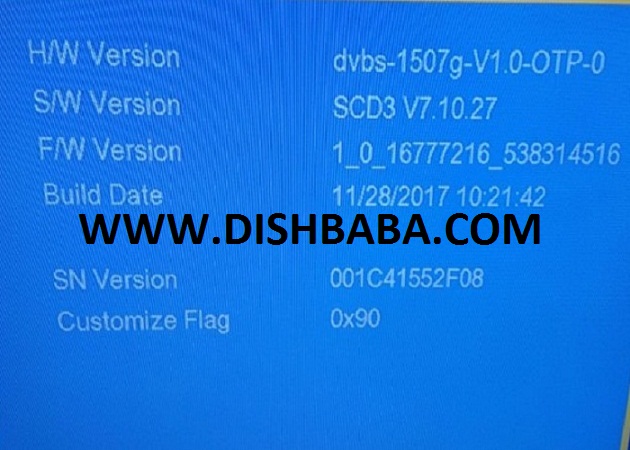
Neosat i 7000 plus neosat i 7000 plus new software neosat i 7000 software neosat i 7000 plus software neusat ni 7000 software free download
How to open CCCAM option Neusat Ni 7000 plus
Press the Menu Button and go to the multiMedia option; press the ok button to select multiMediaÂ? Â?
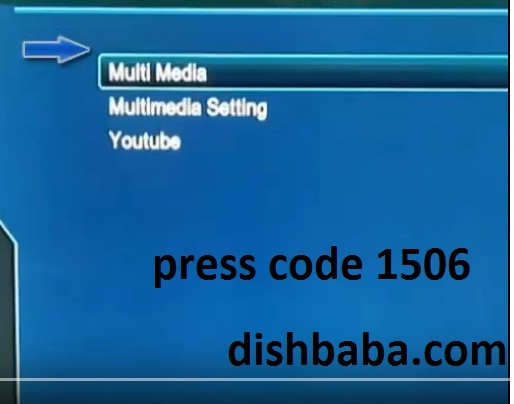
Press Code 1506 Quick
press okÂ?Â?on the Sharing option
Now select one of your CCCAM lines forÂ? Editing
Now add you, CCCAM LineÂ?
After completing the software u need, you are Channel search again. I hope you will enjoy this post. If you are facing any problems, please comment to us I will help you inner Thanks for visiting our sites; keep visiting for the latest software, and also share my post with other people

This comment has been removed by a blog administrator.